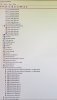

Windows 11 Home
Version 21H2
Build 22000.469
Video Capture device Blinks or Flickers.
(Recordings and Livestream)
Followed trouble shooting page
The OBS Gpu is set to high.
I turned Game mode off.
Messed with setting a thousand times, but then put them back on default.
Nothing worked.
I looked at the log but nothing stoodout.
The log will show that I Changed The VCD resolution to 1280×720 but I just restored it to default because that didn't work either.
Version 21H2
Build 22000.469
Video Capture device Blinks or Flickers.
(Recordings and Livestream)
Followed trouble shooting page
The OBS Gpu is set to high.
I turned Game mode off.
Messed with setting a thousand times, but then put them back on default.
Nothing worked.
I looked at the log but nothing stoodout.
The log will show that I Changed The VCD resolution to 1280×720 but I just restored it to default because that didn't work either.