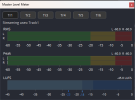
Master Level Meter

Master Level Meter 1.0.3

This release fixes LUFS accuracy and restores Short LUFS updates.

Changes​

  • Replaced the K-weighting filters with ITU-R BS.1770 compliant high-pass + high-shelf filtering.
  • Fixed Short LUFS accumulation so the 3-second window receives the computed 100 ms K-weighted energy instead of zeros.
  • Updated macOS release metadata to 1.0.3.
  • Fixed macOS 26 SDK builds by removing the obsolete AGL framework from Qt's OpenGL wrapper link interface.
  • Added configurable Developer ID Installer signing for generated macOS pkg files.

macOS assets​

  • MasterLevelMeter.pkg: signed, notarized, and stapled Developer ID Installer package.
  • MasterLevelMeter_UniBinary_v1.0.3.plugin.zip: signed, notarized, and stapled universal plugin bundle for manual install.

Verification​

  • Release build succeeded for macOS universal binary: x86_64 arm64.
  • Plugin codesign verification passed with Developer ID Application signature.
  • Package signature verification passed with Developer ID Installer signature.
  • Apple notarization accepted and stapler validation passed for both macOS assets.

Checksums (SHA-256)​

  • MasterLevelMeter.pkg: 8ffbd3d06f7b7733a5eac1e80f967a866bcf4b7428b68ec71572f0d3716ff1d2
  • MasterLevelMeter_UniBinary_v1.0.3.plugin.zip: f8b79573f0d4254665d6e9281929f6dc16b4181bd72028301b6e7d8d18a4093c
[Download link]

Changed the plugin to use Apple's developer signature.
This eliminates the previous hassle of requesting OS permission, making installation easier.
We've also prepared an installer version.

Installation method:
macOS:
~/Library/Application Support/obs-studio/plugins/

Windows:
C:\Program Files\obs-studio\obs-plugins\64bit\
*No changes are required for Windows.

Simply drag and drop into the folder, or
on macOS only, double-click the pkg file and follow the prompts for it to be recognized.

---
プラグインをアップルの開発者署名付きに変更しました。
今まで面倒なOSの許可を求めていた部分が省略され、インストールが容易になります。
またインストーラー形式のものも用意しました。

インストール方法は、
macOS:
~/Library/Application Support/obs-studio/plugins/

Windows:
C:\Program Files\obs-studio\obs-plugins\64bit\
*Windowsには何も変更はありません。

にドラッグ&ドロップするか、
macOSのみpkgをダブルクリックして進んでいくだけで認識されるようになります。

v1.0.2 Updates
  • Modification to LUFS calculation logic. Issue #1
    Previously, stereo LR channels were calculated separately. ITU-R BS.1770-3 specifies that after processing each channel, the sum operation should be performed.
    This improves the situation where values displayed per channel were smaller than the sound pressure calculated by summing the channels.
  • This binary will also be a universal binary supporting both Intel and Arm architectures.
  • LUFS計算ロジックの修正 Issue #1
    ステレオLRを個別に計算していたものを、ITU-R BS.1770-3 に準拠した各チャネルの処理をした後に和の演算を行うように修正。
    LRごとに表示した値は、チャネルの和を取って計算した音圧と比べて小さくなっていたのが改善されます。
  • 【Mac限定】このバイナリから、Intel/Armの両方に対応したユニバーサルバイナリになります。

Attachments

  • Screenshot_21.png
    Screenshot_21.png
    12.7 KB · Views: 444
v1.0.1 Updates
  • Minor bug fixes
  • Fixed an issue where the LUFS meter was not moving smoothly (IIR support added)
  • Added Dock support
  • Added support for OBS 32 beta 2 (tested on Windows & macOS Sonoma 14.6)
Back
Top