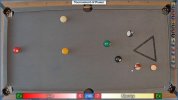


CueSport Scoreboard - Professional OBS Overlay for Pool, Billiards & More
CueSport Scoreboard is an OBS overlay for pool, billiards, darts, and board games. It provides a clean, customizable scoreboard with features for streamers and tournament organizers.
Donate and Support
Key Features:
CueSport Scoreboard includes a free stream promotion feature. When you enable stream sharing, your live games appear on the public directory at [your site URL], where viewers can discover and watch your streams. This helps grow your audience and connect with the community.
Perfect For:
Simply add the browser source to OBS, customize your logos and settings, and start streaming. The control panel docks into OBS for easy access during your stream.Made for cue sport fans by a cue sport fan. Download CueSport Scoreboard today and take your streaming to the next level.
Single Instance:

Multiple Instances:

To modify the overlay the user will leverage a local browser interface in OBS for control (one for each instance).
Additional Feature Notes
Ability to reposition elements within the space: scoreboard, logo slideshow, and game information. Select source, choose interact, and move to your desired location. Refresh page or change size to return to default locations.

Ability to use custom win animations, specific to cue-ball games (8,9, and 10-ball, default is 8-ball).

Tabbed sections of the control panel to save on UI real-estate.

Ball tracker that displays appropriate balls based on game type chosen, and allows for vertical or horizontal display (including International and American style pool balls)

See release notes (v3.0.0) for configuring Replay settings.
CueSport Scoreboard is an OBS overlay for pool, billiards, darts, and board games. It provides a clean, customizable scoreboard with features for streamers and tournament organizers.
Donate and Support
Key Features:
- Real-time score tracking with player names, race information, and general game details
- Overlay scaling and opacity controls
- Professional shot clock inspired by Mosconi Cup and European Open tournaments
- Including 30/60 second timer, and extension support
- Custom logo support for players and sponsor slideshow
- Ball tracker integration for enhanced viewer experience
- Track potted balls
- Player ball set
- Breaking player
- 3D win animations in the form of 8, 9, and 10 ball
- Support International and American ball styles
- Replay buffer integration for instant replay functionality
- Hotkey support for quick score updates during live streams
- Multiple OBS themes to match your stream aesthetic
- Seamless OBS integration with dockable control panel
- Ability for multiple table/instance tracking
CueSport Scoreboard includes a free stream promotion feature. When you enable stream sharing, your live games appear on the public directory at [your site URL], where viewers can discover and watch your streams. This helps grow your audience and connect with the community.
Perfect For:
- Pool and billiards streamers
- Tournament organizers
- Casual players streaming friendly matches
- Anyone looking for a professional scoreboard solution
Simply add the browser source to OBS, customize your logos and settings, and start streaming. The control panel docks into OBS for easy access during your stream.Made for cue sport fans by a cue sport fan. Download CueSport Scoreboard today and take your streaming to the next level.
Single Instance:
Multiple Instances:
To modify the overlay the user will leverage a local browser interface in OBS for control (one for each instance).
Installation Guide
Extract the downloaded zip file to the directory of your choosing e.g. home/username/obs-plugins, just make sure you know where to find it again.- Click on the Docks Menu from the top menu bar of OBS and select "Custom Browser Docks".
- Type a name (CueSport-Scoreboard) in the "Dock Name" box, and input the full path to "control_panel.html" in the URL box e.g., c:\users\yourname\desktop\Cuesport-Scoreboard\control_panel.html.
This forms the control panel for the overlay that will be implemented later, as a browser under sources.
- (Optional) If you are going to use multiple instances in a single stream make sure to add a query at the end of the URL e.g., ?instance=table1 (as seen in the image below, only needed when using multiple instances)
Click "Close"
- Select the scene you want the scoreboard to display and add a "Browser Source" -> "Create New" -> give it a name. click OK.
- Input the full path to "browser_source.html" in the URL box e.g., c:\users\yourname\obs-plugins\Cuesport-Scoreboard\browser_source.html"). Again, if using multiple instances, add ?instance=game4 at he end of the URL definition (as seen in the image)
Set Width to 1920 and Height to 1080.
Click OK.
- You now have a control panel and associated browser overlay, or multiple if you choose to use instances.
- In the event you need to clear the locally stored data, utilize the reset data button for an instance or all instances.
Additional Feature Notes
Ability to reposition elements within the space: scoreboard, logo slideshow, and game information. Select source, choose interact, and move to your desired location. Refresh page or change size to return to default locations.
Ability to use custom win animations, specific to cue-ball games (8,9, and 10-ball, default is 8-ball).
Tabbed sections of the control panel to save on UI real-estate.
Ball tracker that displays appropriate balls based on game type chosen, and allows for vertical or horizontal display (including International and American style pool balls)
See release notes (v3.0.0) for configuring Replay settings.